
Local SEO
Service-Area Businesses vs Address Listings for HVAC: The GBP Setup That Protects Rankings (and Avoids Suspensions)
The way you configure your Google Business Profile determines whether your HVAC company shows up when homeowners search for service—or whether it disappears entirely. For HVAC contractors, this decision comes down to a fundamental question: should you display your physical address, or should you hide it and operate as a service-area business? The answer depends on how your business actually operates, not on what you wish Google would reward. Get this wrong, and you risk ranking drops, reduced visibility in the Local Map Pack, or outright suspension. Get it right, and you create a foundation that supports everything else you do in local SEO.
This guide walks through the decision logic for HVAC businesses specifically. We cover what each business type means in Google’s eyes, how to determine which one applies to you, and what setup choices protect your rankings while keeping your profile compliant.
Understanding the Three Business Types Google Recognizes
Before configuring anything, you need to understand how Google categorizes local businesses. There are three models, and each one has different rules for address visibility, service area settings, and ranking behavior.
Service-Area Businesses
A service-area business travels to customers rather than serving them at a fixed location. The customer never visits your office, warehouse, or home base. You dispatch technicians to their property, perform the work on-site, and leave. Most HVAC contractors fall into this category.
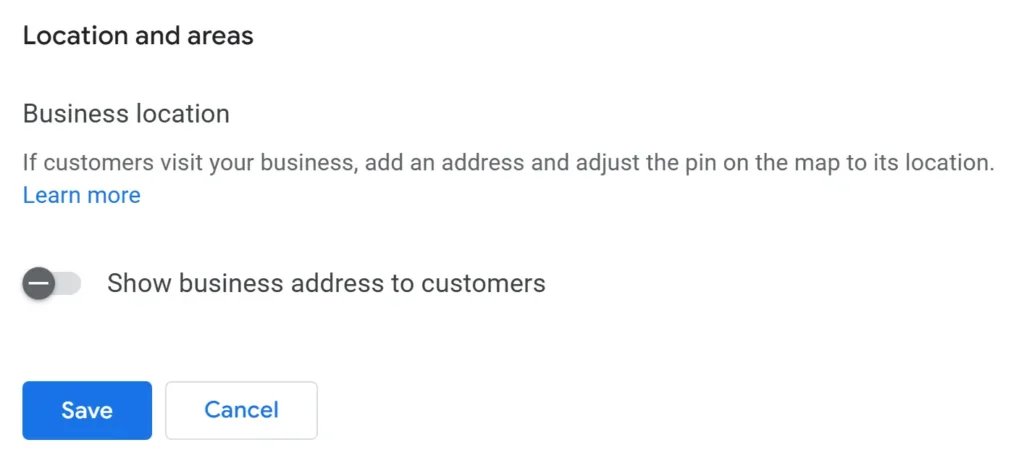
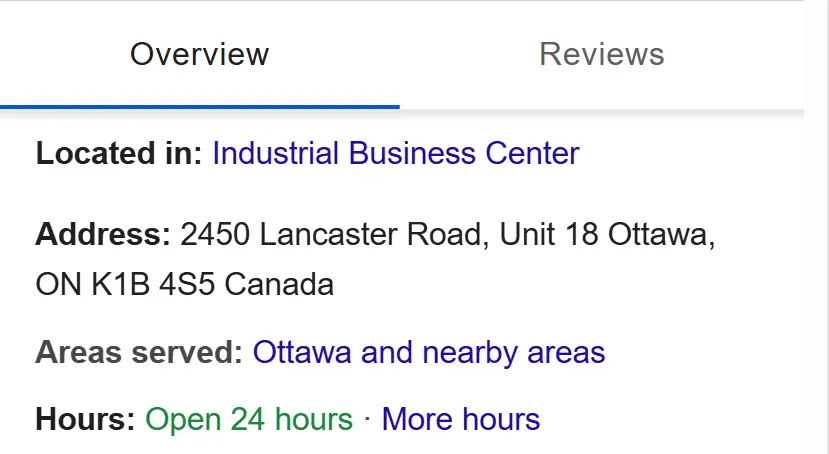
Google’s guidance for service-area businesses is clear: if customers do not visit your location during stated business hours, you should hide your address from public view. You still provide an address to Google for verification purposes, but it does not appear on your profile or in search results.
Storefront Businesses
A storefront business serves customers at a physical location. Customers walk in, receive service, and leave. Think retail stores, restaurants, or medical clinics. The business has permanent signage, staffed hours, and a customer-facing entrance.
For storefront businesses, the address is displayed publicly. Google uses that address to calculate proximity—how close the business is to the person searching.

Hybrid Businesses
A hybrid business does both. It maintains a legitimate storefront where customers can visit, and it also travels to customer locations. An HVAC company with a showroom where homeowners can browse equipment while also offering installation and repair at customer homes would qualify as a hybrid.
Hybrid businesses can display their address and set service areas. However, the storefront component must be real. A coworking space you visit twice a month does not count. A virtual office with a mailing address does not count. Google has become increasingly aggressive about detecting and suspending businesses that misrepresent their physical presence.
The Decision Tree: Which Type Are You?
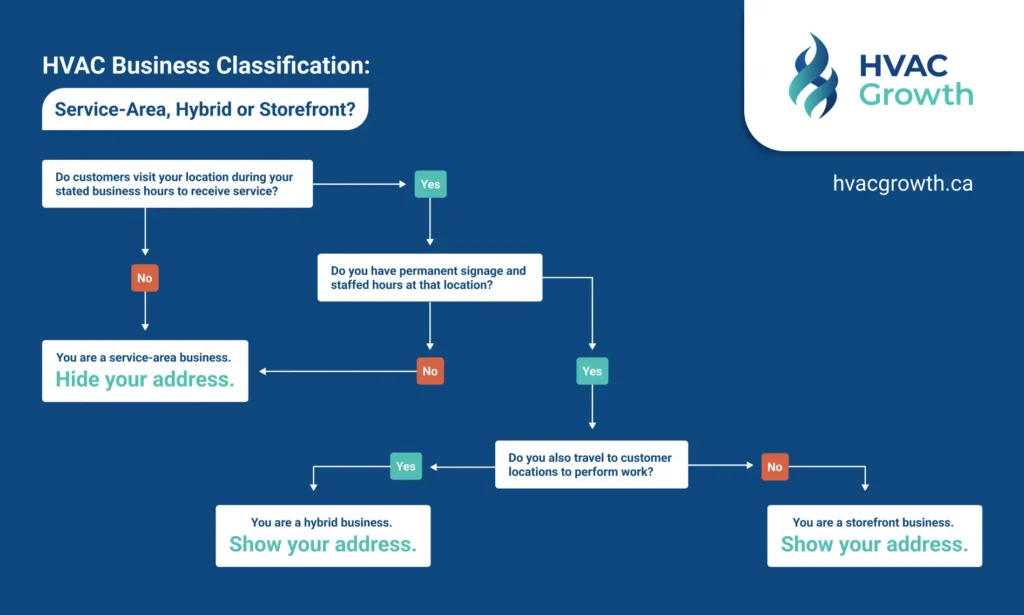
Most HVAC contractors assume they know the answer, but the distinction matters more than many realize. Use this logic to determine your correct classification:
- Do customers visit your location during your stated business hours to receive service?
- If no, you are a service-area business. Hide your address.
- If yes, continue to the next question.
- Do you have permanent signage and staffed hours at that location?
- If no, you are a service-area business. A home office without signage or regular customer visits does not qualify as a storefront.
- If yes, continue to the next question.
- Do you also travel to customer locations to perform work?
- If yes, you are a hybrid business. Display your address and set service areas.
- If no, you are a storefront only.
The critical word in this framework is “legitimate.” Google’s guidelines exist to prevent businesses from gaming local search by claiming locations where they do not actually operate. If you work from home and no customers ever visit that address, displaying it violates Google’s policies—regardless of how much you want the proximity benefit.
How Each Option Affects Your Rankings
Understanding the ranking implications of each business type helps you make informed decisions rather than chasing tactics that backfire.
Proximity Still Matters
Proximity is one of the three primary factors Google uses to rank local businesses, alongside relevance and prominence. When a homeowner searches “AC repair near me,” Google evaluates how close each business is to that searcher’s location.
For storefront and hybrid businesses, proximity is calculated based on the displayed address. For service-area businesses, Google still has your verified address on file and uses it in backend calculations, even though customers cannot see it. This means your actual location still influences where you appear in results—it just does so invisibly.
Service Areas Do Not Replace Proximity
A common misconception among HVAC contractors is that adding more service areas will make them rank in more cities. This is not how it works.
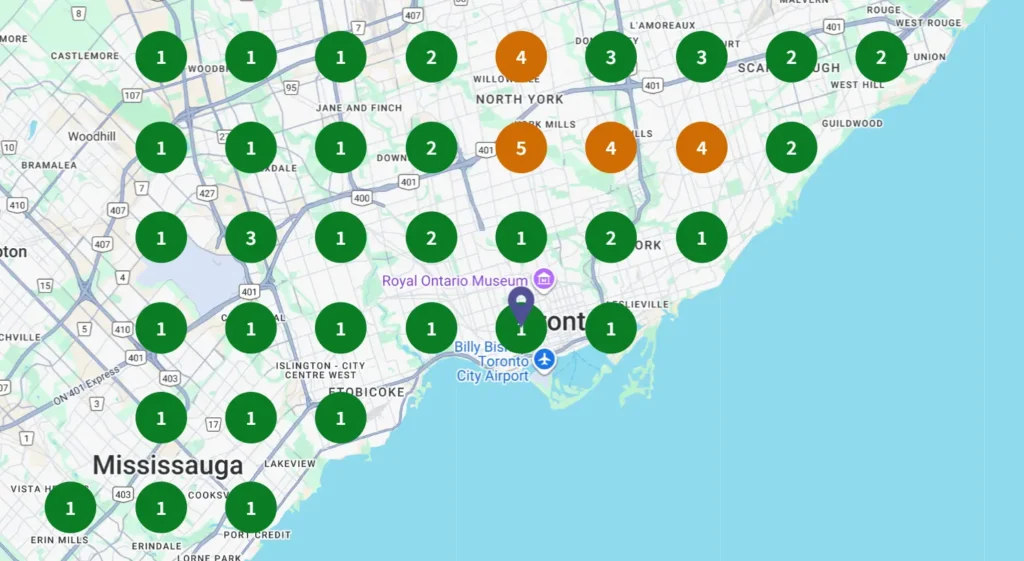
Service areas tell Google where you are willing to travel. They do not tell Google that you are close to those locations or that you have strong relevance there. A contractor based in Edmonton who adds Calgary as a service area will not suddenly rank in Calgary’s Local Map Pack. The competitor actually located in Calgary will almost always outrank them for Calgary searches.
Service areas help Google understand your coverage. They do not override proximity signals.
Service-Area Businesses Can Still Rank Well
Being a service-area business does not penalize you. Many HVAC contractors operating as SABs rank prominently in their local markets. The key is that the rest of your local SEO foundation must be strong:
- Consistent NAP (name, address, phone) across all directories
- Strong review velocity and rating
- Relevant categories and complete service listings
- Website with clear service area coverage and location-specific content
Service-area businesses that struggle in rankings typically have weak signals elsewhere—not a penalty for hiding their address.
The Hidden Address Paradox
There is evidence that some service-area businesses experience visibility drops after hiding their address, even when doing so aligns with Google’s guidelines. This creates a genuine tension: comply with the rules and potentially lose visibility, or bend the rules and risk suspension.
Our position is straightforward. Compliance protects you long-term. Suspensions can cost HVAC contractors thousands of dollars per month in lost leads, and reinstatement is neither fast nor guaranteed. If you are a true service-area business, hide your address and invest in the other ranking factors you can control: reviews, citations, website authority, and service area page content.
Address Visibility Rules That Prevent Suspensions
HVAC is classified as a “high-risk” category by Google, meaning profiles receive more manual reviews and stricter enforcement. Understanding what triggers suspensions helps you avoid them.
Violations That Get HVAC Profiles Suspended
- Displaying a home address when customers do not visit: If you work from home and no customers come to that location, showing the address violates Google’s guidelines.
- Using virtual offices or coworking spaces: Google explicitly prohibits unstaffed locations, P.O. boxes, and virtual offices as business addresses.
- Keyword stuffing the business name: Adding service keywords to your business name (e.g., “Smith HVAC Repair, Furnace Installation, Emergency AC Service”) violates naming guidelines and triggers suspensions.
- Creating multiple listings for the same business: You cannot create separate profiles for different services (one for heating, one for cooling) or different neighborhoods unless each has a truly separate, staffed location.
- Setting unrealistic service areas: Claiming to serve an entire province when you operate a single truck creates trust signals that can trigger review or suspension.
- NAP inconsistency across the web: When your address, phone number, or business name differs across your website, directories, and GBP, Google flags the profile for verification issues.
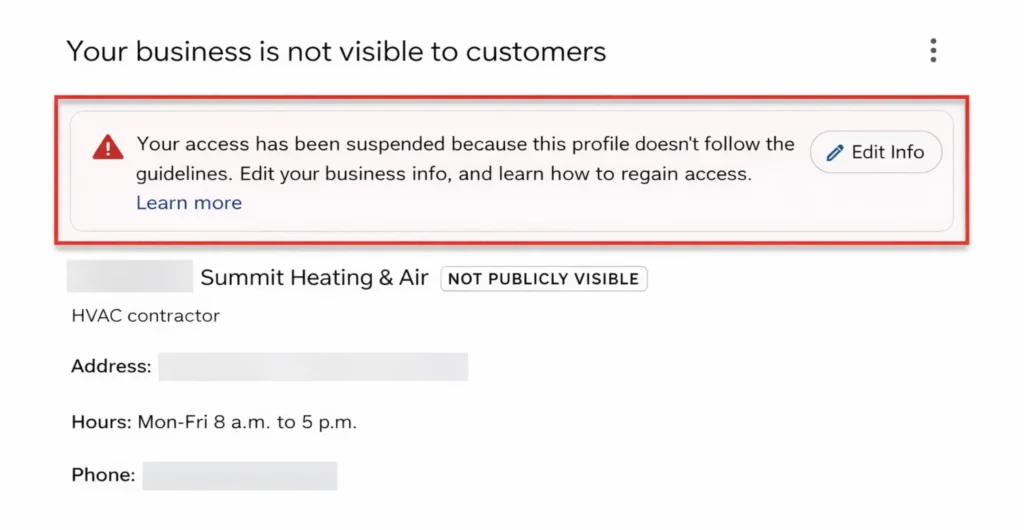
The Cost of Getting Suspended
A suspended Google Business Profile removes your business from Google Maps and local search results entirely. You generate zero leads from that channel until the profile is reinstated. Research indicates suspended HVAC businesses can lose significant revenue—often thousands of dollars monthly—while waiting for reinstatement, which typically takes one to two weeks but can extend longer if appeals are denied.
The short-term ranking benefit of displaying an address you should not display is never worth this risk.
How to Set Service Areas Without Sabotaging Visibility
For service-area businesses, the service area settings in your Google Business Profile require careful configuration.
What to Include
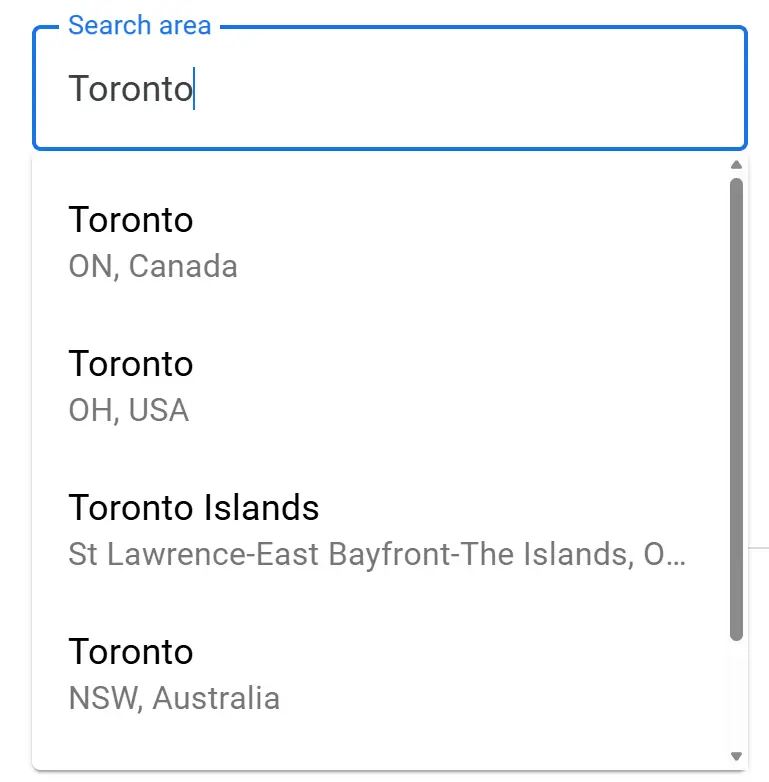
List the cities, zip codes, or neighborhoods where you actually provide service and can realistically dispatch a technician. Google allows up to 20 service areas per profile. Most HVAC contractors find that 5-15 well-chosen areas strike the right balance between coverage and credibility.
What to Avoid
- Do not claim areas you cannot realistically serve. If you are based in a small town and add a major city two hours away, you create trust issues and will not rank there anyway.
- Do not add 20 areas hoping to rank in all of them. Service areas indicate coverage; they do not create ranking authority.
- Do not set entire provinces or states. This looks suspicious and provides no ranking benefit.
Align Service Areas with Your Website
Your service area settings should match what your website communicates. If your GBP lists 15 cities but your website only mentions one, that inconsistency weakens your relevance signals. Service area pages on your website support your GBP service areas by providing Google with additional context about where you operate and what you offer in each location.
Multi-City HVAC Setups: What Works and What Does Not
HVAC contractors serving a metro area plus surrounding towns face specific challenges. Here is how to approach them correctly.
Single Location Serving Multiple Areas
If you operate from one location but serve multiple cities, you are a service-area business. Configure your GBP accordingly:
- Hide your address
- Set service areas for the cities and neighborhoods you actually serve
- Build dedicated service area pages on your website for each location
- Maintain consistent NAP across all citations and directories
You will rank best in the area closest to your actual location. For surrounding areas, your website’s location pages carry more weight than your GBP service area settings. Strong location-specific content, combined with reviews mentioning those areas and citations in local directories, builds the relevance signals Google needs.

Multiple Staffed Locations
If you have genuinely separate branches with staffed hours, signage, and independent operations, each location can have its own Google Business Profile. Each profile must represent a real, verifiable location—not a remote technician’s home or a shared workspace.
For multi-location operations, ensure:
- Each location has a unique phone number (or at least unique call tracking)
- Each GBP links to a dedicated location page on your website
- NAP consistency is maintained across all locations and all directories
- Local reviews accumulate for each location separately
Franchise systems and multi-branch HVAC companies often struggle because they apply the same template content to every location profile, fail to maintain centralized NAP management, or allow individual branches to manage profiles without oversight. Centralized control with location-specific customization produces the strongest results.
Single Crew Trying to Claim a Large Territory
If you are a one-truck operation trying to rank across an entire province or major metro, you are setting yourself up for failure. You will not rank in areas far from your location because you lack proximity, relevance, and trust signals for those markets. And if you create fake listings to try, you will get suspended.
The realistic path to expanding your territory is growth itself—more trucks, more technicians, and eventually real presence in new markets that justifies additional profiles or stronger service area signals.
Common SAB Mistakes HVAC Contractors Make
We see these errors repeatedly. Avoiding them protects your rankings and your profile.
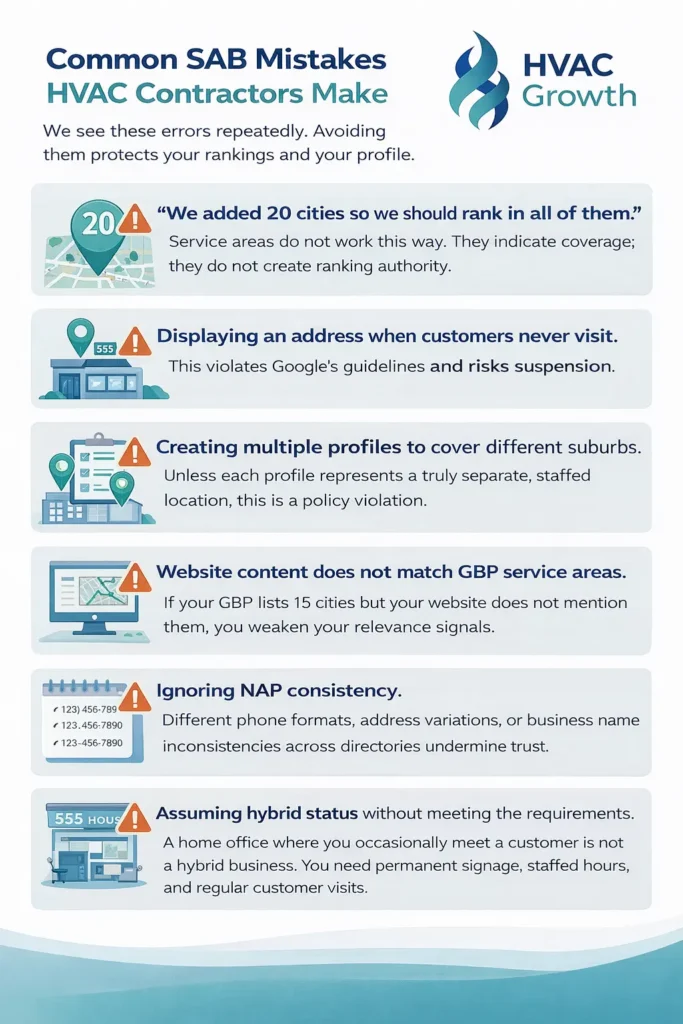
- “We added 20 cities so we should rank in all of them.” Service areas do not work this way. They indicate coverage; they do not create ranking authority.
- Displaying an address when customers never visit. This violates Google’s guidelines and risks suspension.
- Creating multiple profiles to cover different suburbs. Unless each profile represents a truly separate, staffed location, this is a policy violation.
- Website content does not match GBP service areas. If your GBP lists 15 cities but your website does not mention them, you weaken your relevance signals.
- Ignoring NAP consistency. Different phone formats, address variations, or business name inconsistencies across directories undermine trust.
- Assuming hybrid status without meeting the requirements. A home office where you occasionally meet a customer is not a hybrid business. You need permanent signage, staffed hours, and regular customer visits.
What to Do Next
If you are setting up a Google Business Profile for the first time or reconsidering your current configuration, start by honestly assessing how your business operates. Do customers visit your location? If not, configure as a service-area business and focus on the factors you can control: reviews, citations, categories, and website content.
If you already have a profile and suspect it is misconfigured, make changes carefully. Sudden shifts—especially around address visibility—can trigger verification requirements or reviews. Ensure your website and citation profiles align with whatever changes you make to your GBP.
For contractors managing multiple locations or complex service territories, centralized management with careful attention to each profile’s configuration prevents the inconsistencies that create ranking problems and suspension risk.
The goal is not to game Google’s system. The goal is to accurately represent how your business operates, maintain compliance with Google’s guidelines, and build the supporting signals—reviews, citations, and website authority—that drive rankings regardless of business type. That foundation protects you as algorithms evolve and competitors come and go, and it’s exactly what a proper local SEO strategy for HVAC companies is designed to support.
Frequently Asked Questions
Inconsistent name, address, or phone across directories, your site, and GBP confuses Google and triggers suspensions. Audit and fix everywhere first, then verify your profile to rebuild trust fast.
No, service areas show coverage but don’t override proximity—your base location still determines rankings. List 5-15 realistic cities or zips you can serve, matching your website, for better relevance without suspicion.
Common triggers: showing home addresses without visits, virtual offices, keyword-stuffed names, or fake multi-listings. Reconfigure compliantly, align with your site, and appeal with proof like licenses—suspensions kill leads worth thousands monthly.
You’re hybrid only if you have a real storefront with permanent signage, staffed hours, and regular customer visits, plus travel to homes. A home office or occasional meetup doesn’t qualify—stick to service-area setup to avoid Google flags.
Yes, if homeowners don’t visit your location during business hours—like most service-area HVAC businesses—hide your address to comply with Google’s rules. This prevents suspensions while still using your verified address for proximity rankings behind the scenes.

Take the first step toward calm, connected parenting
Book a free growth call and discover what's possible for your business.
Book Your Free Call